
 TepData NewCALIBRATION · MAINTENANCE · CERTIFICATES
Calibration management software for labs and every industry that calibrates
Know what is due before the auditor asks. TepData keeps your equipment register, calibration certificates, maintenance work orders and expiring certificates in one place, for calibration and testing labs and any company whose quality system depends on calibrated instruments. Built in Johor by MHA AUTOMATION, an ISO/IEC 17025 accredited calibration lab.
No more spreadsheet hunting
Every instrument, its last calibration and its next due date in one register, searchable by tag, serial no., location or client.
Status that never goes stale
Due Soon and Overdue are worked out from the due date every time a page opens, so the dashboard is right on the day the auditor walks in.
Certificates clients can check
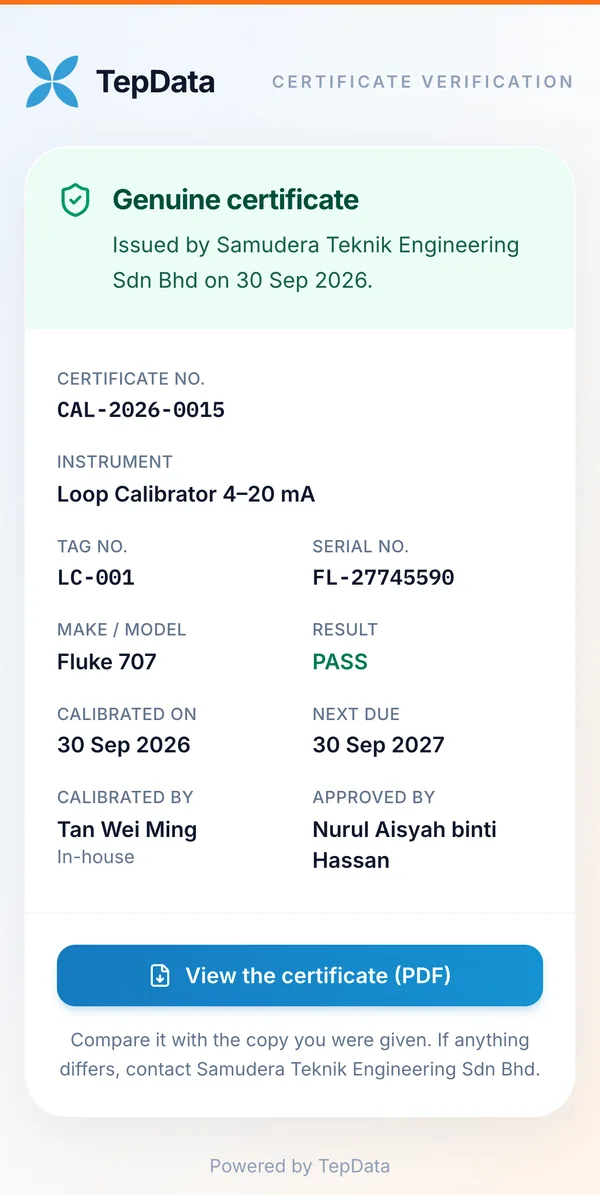
Every certificate carries a QR code. Anyone who scans it sees whether it is genuine, without signing in.
Who uses TepData
- Calibration laboratories
- Testing & inspection bodies
- Manufacturing & electronics
- Oil, gas & petrochemical
- Marine & shipyards
- Power & utilities
- Food, beverage & pharma
- Hospitals & medical devices
- Engineering contractors
- Universities & training labs
From the instrument on the rack to the certificate in the client's hands
TepData follows the way a calibration workshop actually works: register the instrument, calibrate it against traceable standards, approve and issue the certificate, label it, and keep it maintained until it is due again.
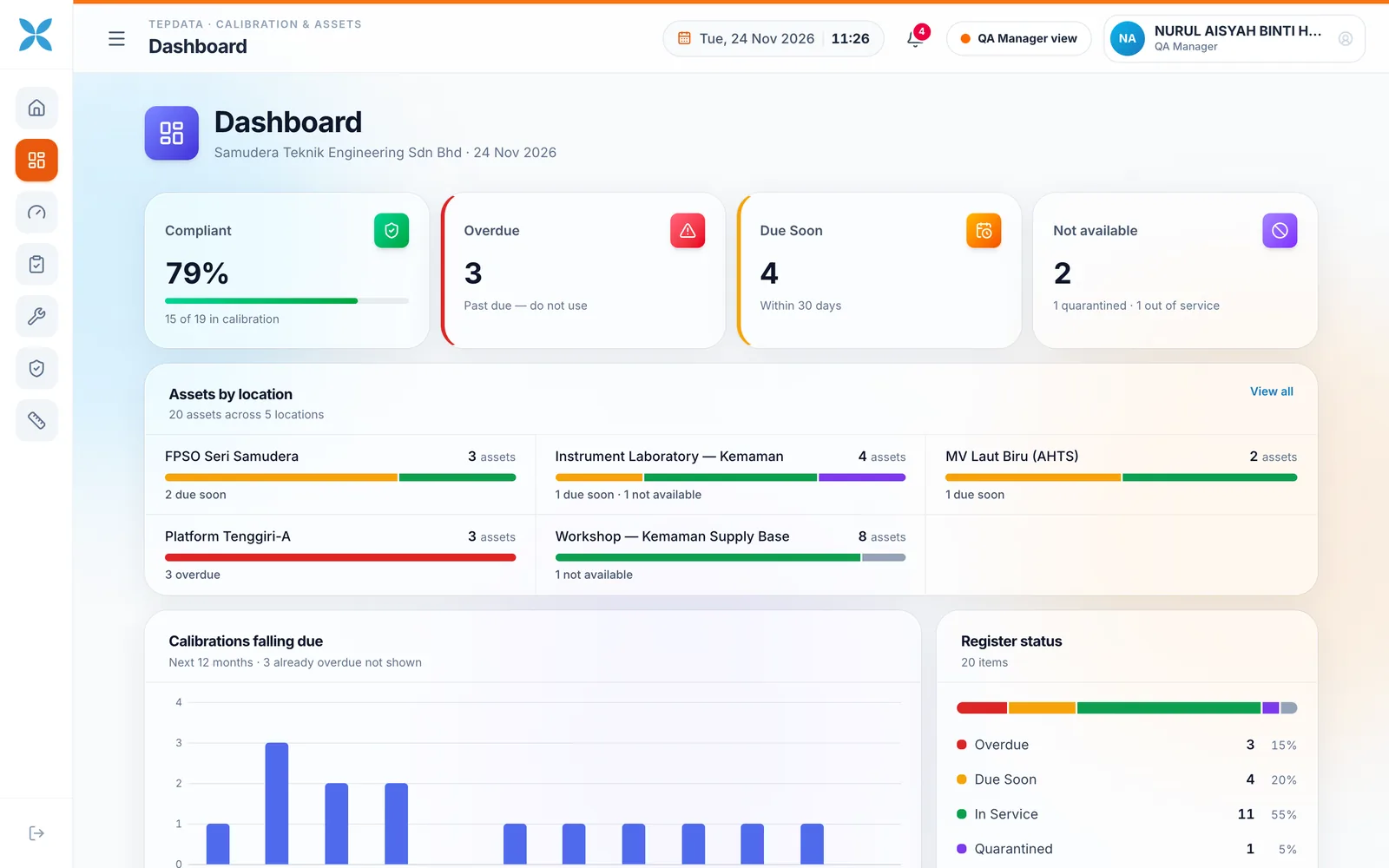
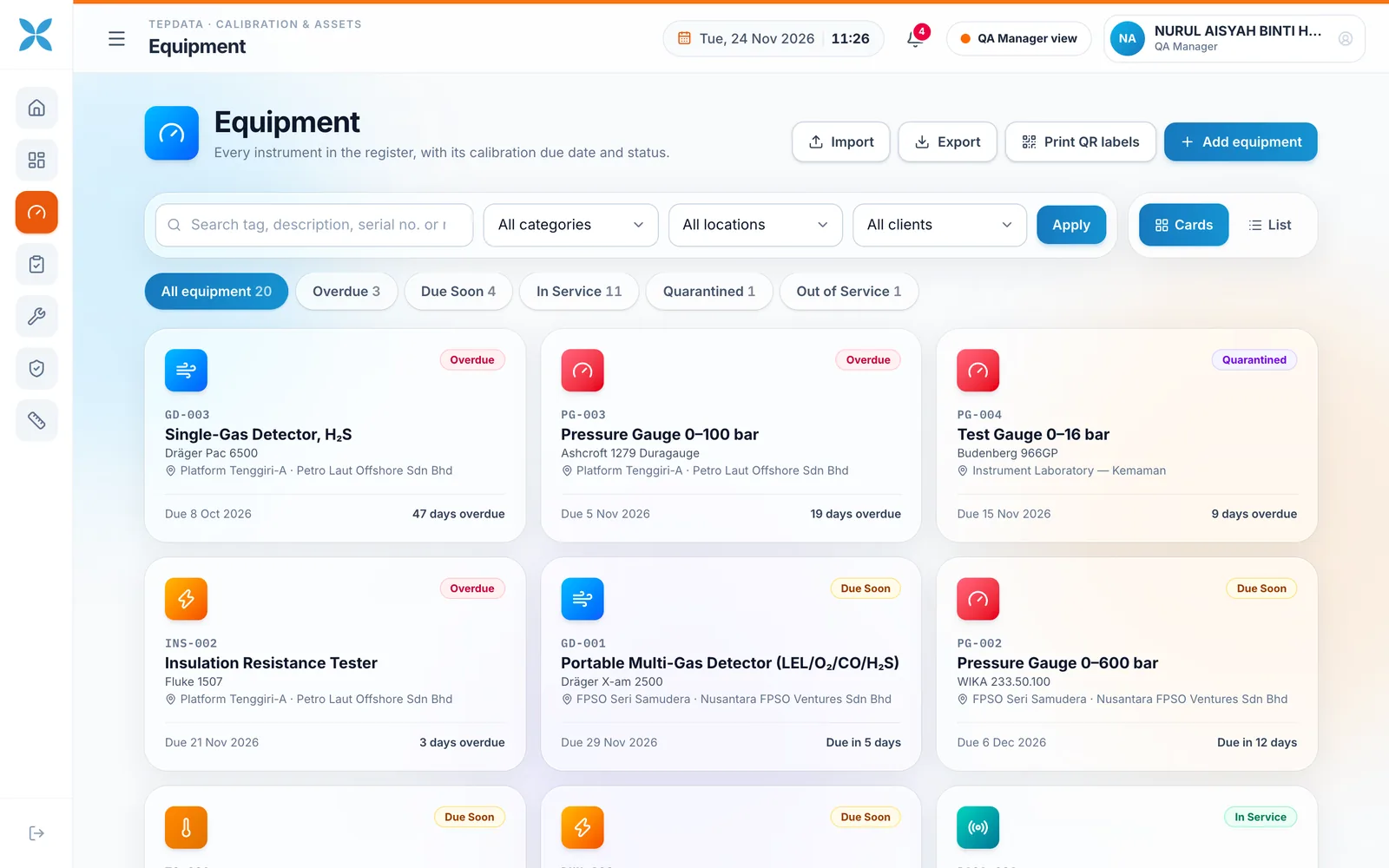
Every instrument, its status and its next due date
Record tag no., make and model, serial no., range, accuracy, calibration interval, owner and location, whether that is the lab, the workshop, a production line, a client site, a vessel or an offshore platform.
- Live status: In Service, Due Soon, Overdue, Quarantined or Out of Service
- Dashboard: compliant %, overdue list, assets by location and calibrations due each month
- Import / export: bring in your Excel register with a CSV template; export any filtered view
- Cards or list view, with search and filters by category, location and client
ISO/IEC 17025-style certificates on your own letterhead
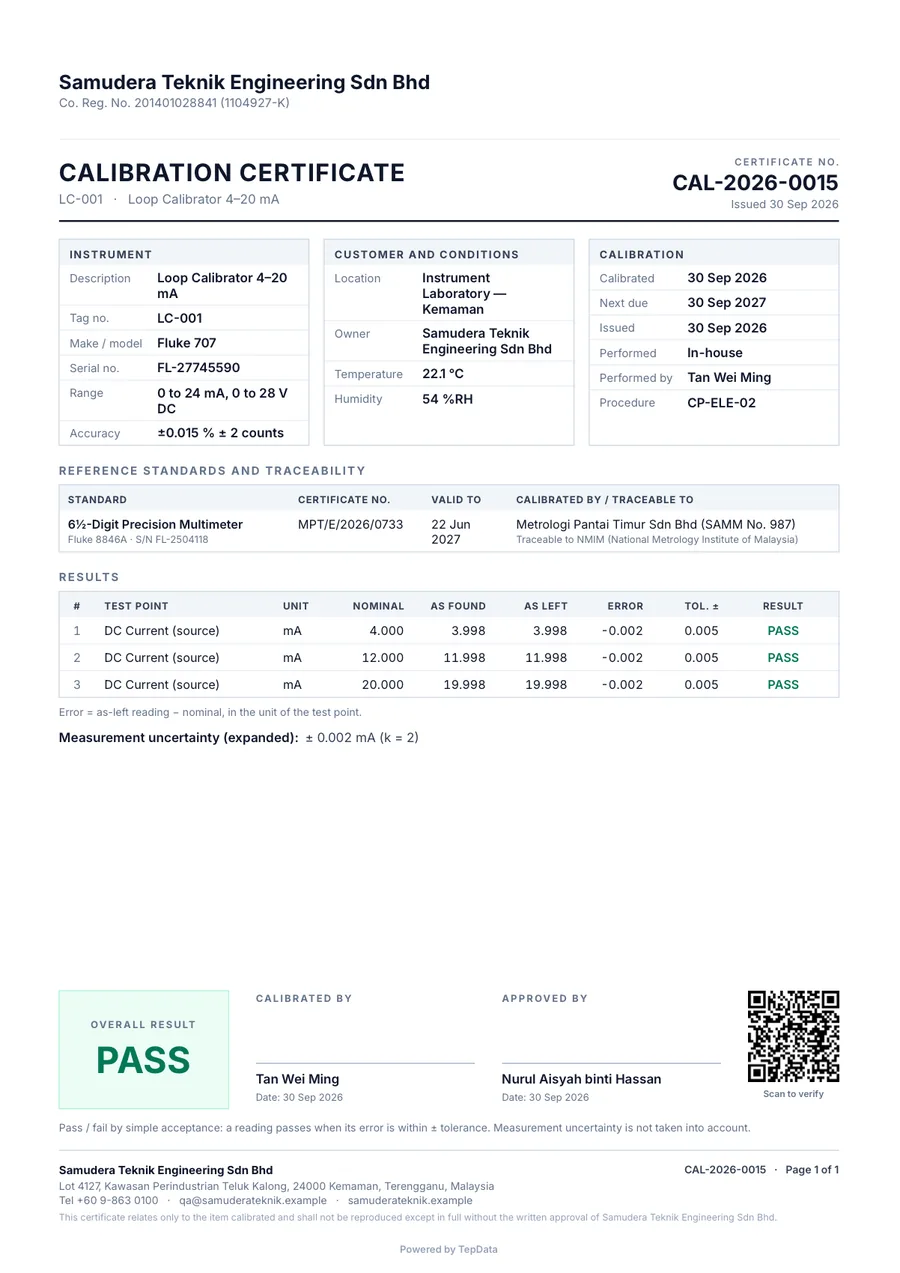
Technicians log readings per test point; TepData works out the error and the result. The certificate PDF is generated on your company letterhead and stays marked DRAFT until a QA manager approves it.
- As-found and as-left readings against tolerance, with automatic pass / fail and measurement uncertainty
- Traceability chain: the reference standards used, their certificate nos. and what they trace to
- Failed equipment is quarantined automatically, and out-of-tolerance as-found readings are flagged for impact review
- Electronic signatures: the technician signs when logging, the QA manager signs on approval
- In-house, in-situ (on site) or external laboratory calibrations, with photos and PDFs attached
Scan the sticker, open the record
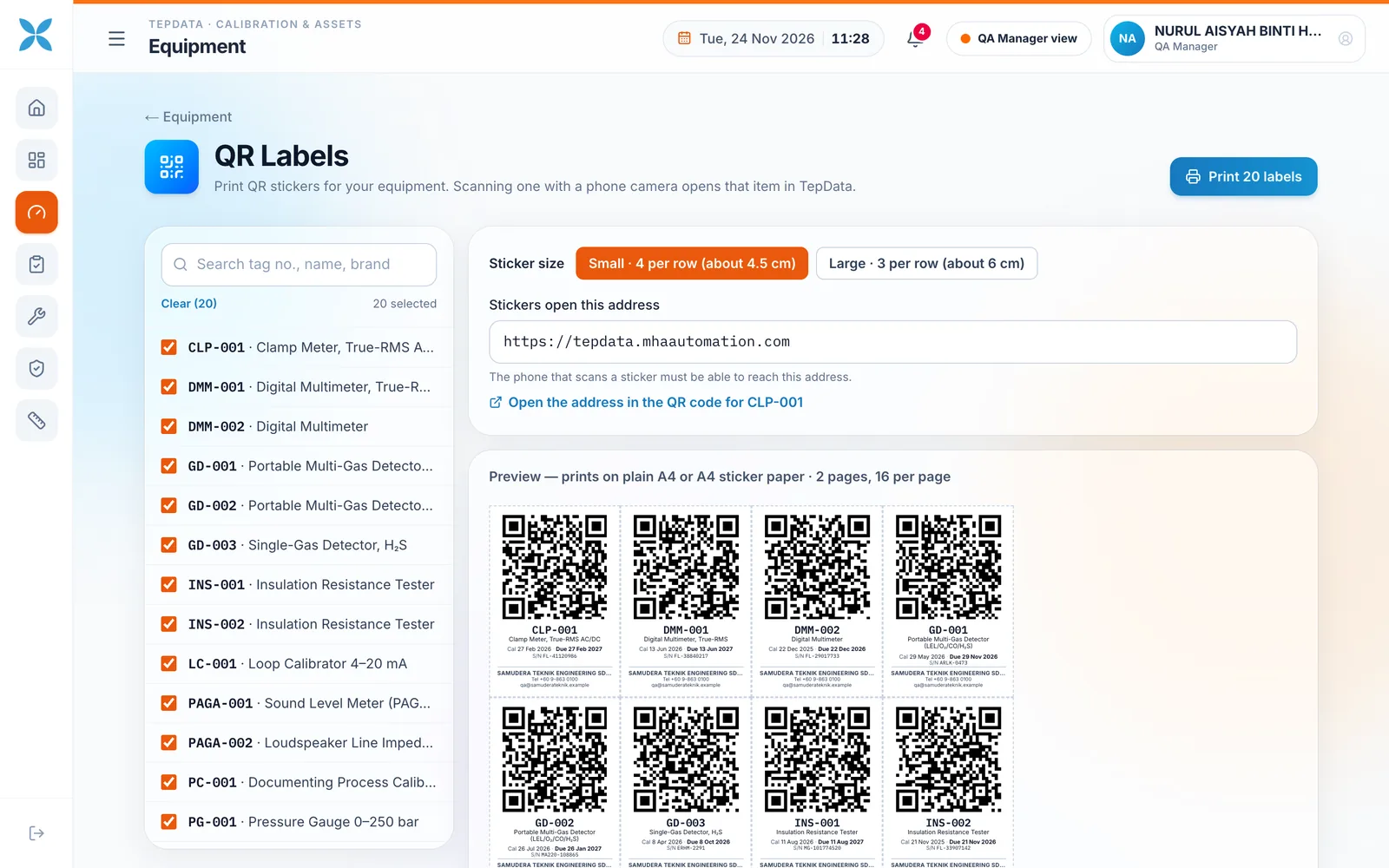
Print QR stickers for the whole register on plain A4 or sticker paper. Scanning one with any phone camera opens that instrument in TepData. The QR code on each certificate opens a public page that confirms it is genuine.
- Two sticker sizes: Small 45 × 66 mm (16 per A4) and Large 60 × 88 mm (9 per A4)
- Each sticker shows tag, serial no., calibration and due dates, plus your contact details
- Public verification page: certificate no., instrument, result, dates and signatories, with the PDF once approved
Preventive maintenance your technicians finish on the phone
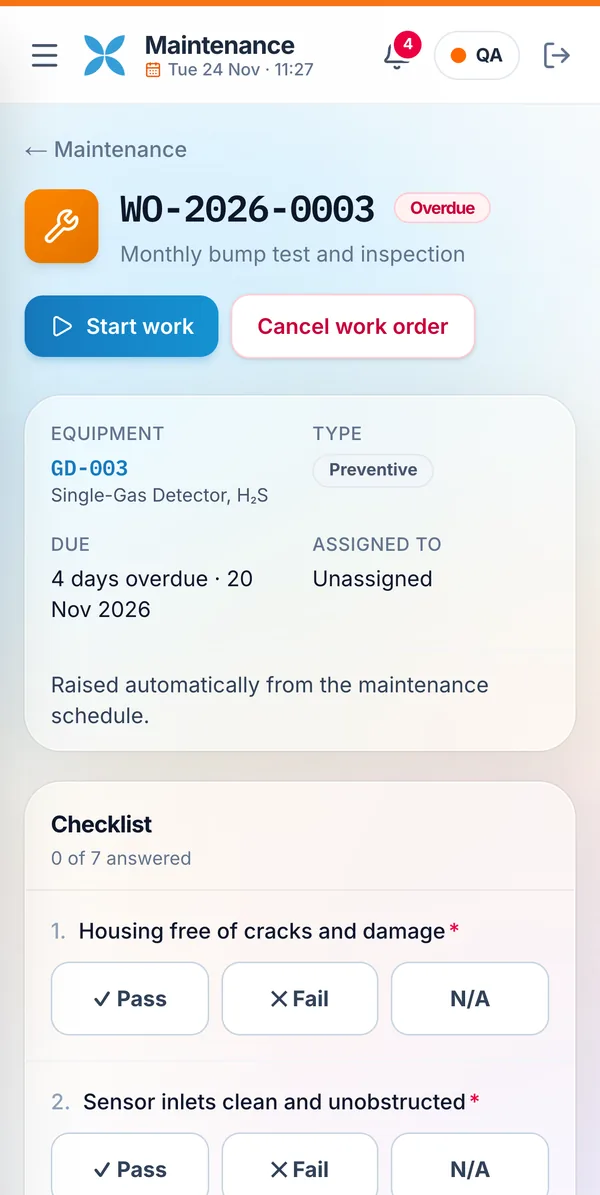
Set a maintenance schedule per instrument and TepData raises the work order 14 days before it falls due. Technicians complete it on site with big pass / fail buttons, photos and a signature.
- Checklist templates with pass / fail / N/A checks, readings and text answers
- Preventive, corrective and inspection work orders, numbered WO-YYYY-NNNN
- A note is required on every failure, and failures are flagged for a corrective work order
- Completing a scheduled job rolls the schedule forward to its next date
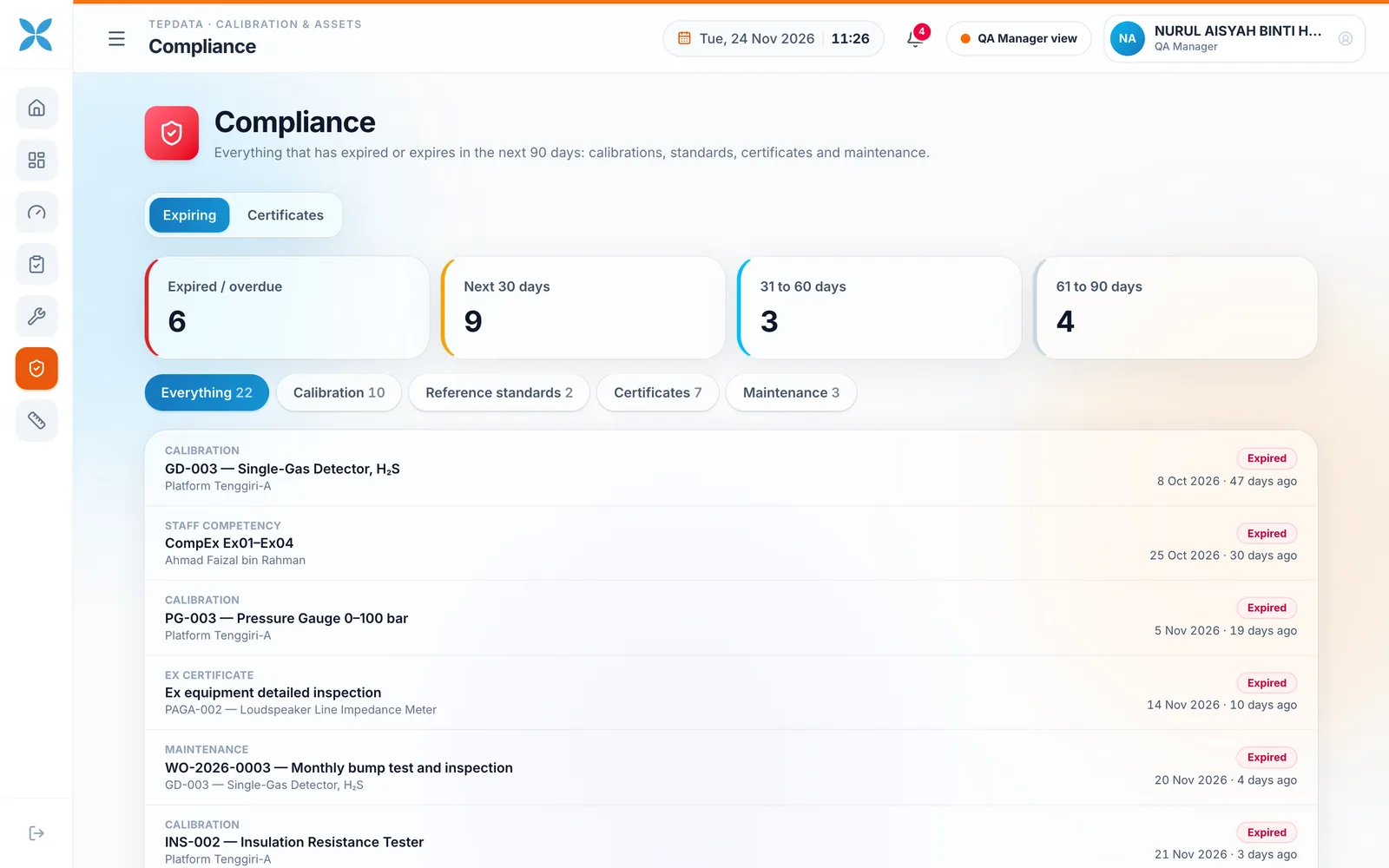
Everything that expires in the next 90 days, on one screen
Calibrations, reference standards, certificates and maintenance, grouped into expired, next 30 days, 31 to 60 and 61 to 90 days.
- Certificate register for equipment, Ex (ATEX / IECEx), staff competency (NIOSH, OPITO, CIDB) and company certificates
- Attach the scan or photo; renew and keep the history in the audit trail
- Reference standards tracked with their own calibration due dates
The right view for everyone on the job
Each person signs in with their own account and sees only what their role allows.
Admin
Users, company settings, letterhead and certificate numbering, plus everything a QA manager can do.
QA Manager
Manages the register, approves calibration records, runs schedules and checklists, and reads the audit trail.
Technician
Logs calibrations, completes work orders on the phone, and attaches photos and documents.
Client Viewer
Your client sees only their own equipment, its status and approved certificates. Read-only.
Built for ISO audits from day one
TepData was designed around ISO 9001 and ISO/IEC 17025 audits, so the history is there from the first record, not from the day someone asked for a report.
- Full audit trail
- Every create, update, archive and sign-in is recorded with who, when, and the before and after values.
- Review before issue
- Certificates stay DRAFT until approved, with a "To Approve" queue for the QA manager.
- Your data, kept separate
- Each company's records are isolated from every other company's.
- Private file storage
- Attachments are checked by content, limited to 15 MB, and served only to users who can see the record.
- Account protection
- Accounts lock after five wrong passwords; sessions are signed and expire.
- Hosted in Singapore
- Close to Malaysian and Singapore users, so pages load quickly in the workshop and on site.
Made by people who sign calibration certificates
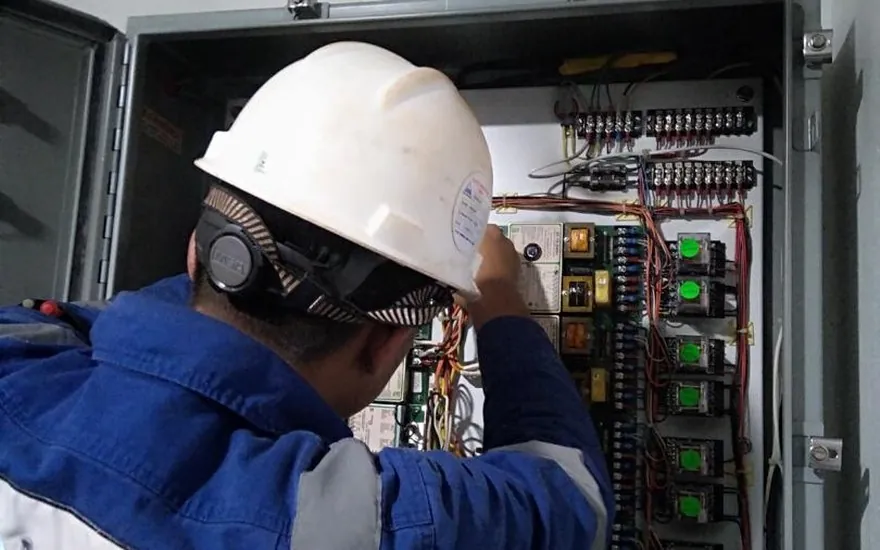
TepData comes from MHA AUTOMATION's own ISO/IEC 17025:2017 accredited calibration laboratory in Masai, Johor. We built it to run our own register, certificates and maintenance, then opened it up to other laboratories and companies that face the same audits.
Need the calibration itself as well? Our lab calibrates engine safety devices, analysers and field instruments on board, on site or in our workshop, and the results can go straight into your TepData register.
See our ISO/IEC 17025 calibration servicesTepData FAQs
Does TepData make our laboratory ISO/IEC 17025 accredited?
No software can do that; accreditation comes from your accreditation body. TepData helps you meet the requirements: certificates carry the content ISO/IEC 17025 clause 7.8 asks for, every calibration records its reference standards and traceability, failed equipment is quarantined automatically, and every change is kept in an audit trail.
Can technicians use TepData on site, in the plant or offshore?
Yes. TepData runs in the phone's web browser with no app to install. Pages are built on the server so they load quickly on weak site connections, and checklists use large pass / fail buttons, photos and a drawn signature.
Can we bring in our existing equipment list from Excel?
Yes. Equipment and calibration records import from a CSV file using the template provided. An import is all-or-nothing and lists every row that needs fixing, and exports open straight in Excel.
Can our clients see the status of their own equipment?
Yes. A Client Viewer account sees only the equipment owned by that client, with its status and approved certificates, and cannot change anything.
Where is our data kept?
TepData is hosted in the Singapore region. Each company's data is kept separate, files are stored in private storage that only signed-in users with access to the record can open, and accounts lock after five wrong passwords.
See TepData with your own equipment list
Send us a few instruments from your register and we'll walk you through TepData in a 30-minute demo, on desktop and on the phone.